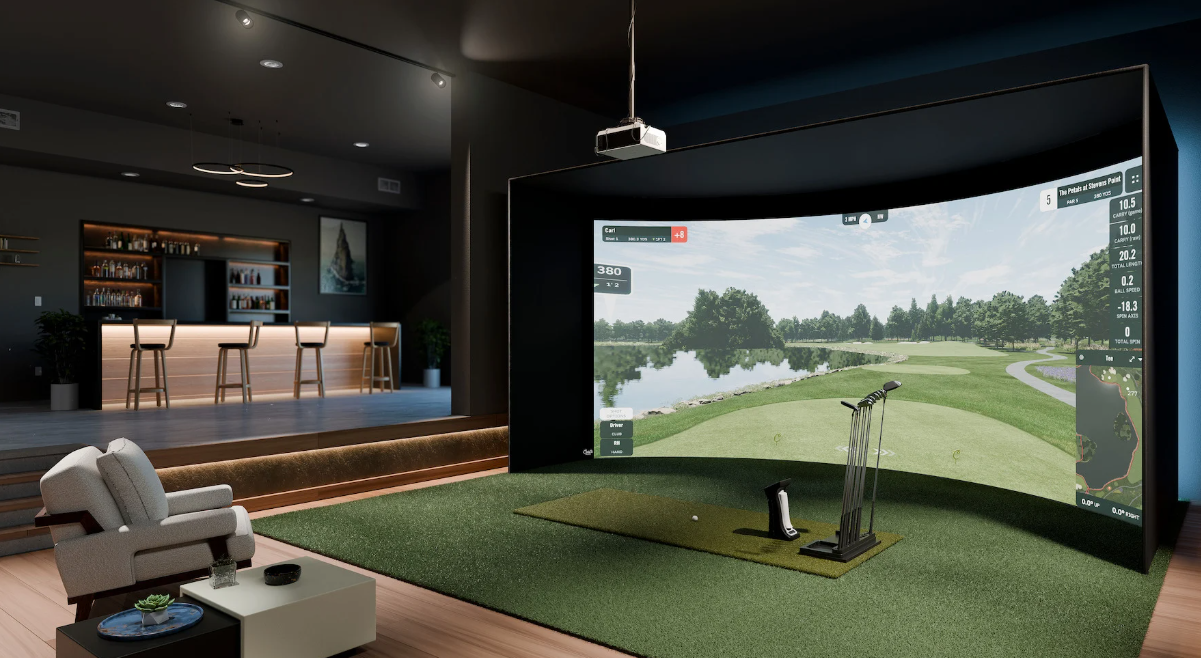
A home golf simulator can support regular practice, indoor recreation, and year-round play. Pricing varies because each installation combines different tracking hardware, display equipment, flooring, software, and construction work. A compact practice station may use a launch monitor and net, while a full enclosure can include projection, protective padding, upgraded turf, and professional fitting. Room dimensions, playing goals, maintenance needs, and future upgrades all affect the final investment. Reviewing each element helps golfers spend carefully and avoid unsuitable equipment.
Before comparing packages, golfers should identify the factors that determine golf simulator cost. Tracking precision influences practice value, while room dimensions determine which components can fit safely. Display size affects immersion, yet software access and computer capacity shape daily performance. Installation, electrical work, flooring, and protective materials can also increase the final bill. Looking beyond the launch monitor gives households a more realistic estimate.
Launch Monitor Quality
The launch monitor often accounts for the largest equipment expense. Entry-level units may record basic metrics, such as ball speed, carry distance, and launch angle. Advanced devices can measure spin, club path, face angle, and impact location.
More detailed feedback helps golfers identify swing faults with greater confidence. Sensor position matters as well. Camera systems may need space beside the ball, while radar units often require clearance behind the player. Accurate readings across woods, irons, and wedges may justify a higher purchase price.
Hitting Area and Enclosure
A hitting mat affects comfort, balance, and joint loading during repeated swings. Thin products can shift underfoot or compress unevenly after regular use. Denser turf with shock-absorbing layers usually provides more stable support.
The enclosure protects walls, ceilings, and nearby people from errant shots. A basic net costs less, although it offers limited side coverage. Framed structures with overhead panels, cushions, and reinforced fabric require additional material, but they may improve safety and visual presentation.
Display Equipment
Projectors and impact screens create the visual feedback that makes indoor practice engaging. A smaller screen with moderate resolution can control spending, though the image may feel limited from the hitting position.
Large screens require stronger projection, accurate mounting, and a suitable throw distance. Flatscreen displays provide sharp images for rooms with limited depth. Prices can rise quickly, especially when households choose high brightness, fast refresh rates, and protective mounting.
Software and Computer Needs
Simulator software may involve an initial license, recurring membership, or both. Course libraries, practice modes, competitive play, and equipment support vary by provider. Buyers should examine renewal charges before choosing a package.
A computer must process launch data while rendering course graphics. Older hardware can produce lag, dropped frames, or compatibility errors. Systems with high-resolution visuals commonly require a capable processor, dedicated graphics card, sufficient memory, and effective cooling.
Room Preparation
The room itself can determine whether equipment performs properly. Sufficient length must accommodate the golfer, ball position, monitor placement, screen distance, and backswing. Measure ceiling height carefully, especially for players using drivers.
Garages and unfinished basements may need electrical outlets, wall protection, flooring, lighting, or ventilation. Finished rooms often reduce construction expenses. Sound treatment may benefit households near bedrooms, offices, or shared living areas.
Installation and Calibration
Self-installation reduces labor charges, but it requires accurate measuring, mounting, wiring, and software configuration. Incorrect alignment can affect screen proportions, tracking accuracy, and golfer comfort. Testing should include several club types before you consider the system ready.
Professional fitting adds expense but can prevent costly mistakes. An experienced installer can assess clearances, position sensors, secure protective materials, and calibrate the display. Ongoing technical support may also matter for households expecting frequent use.
Typical Price Ranges
A separate do-it-yourself system commonly costs between $3,000 and $8,000. The total depends on the monitor, mat, net or enclosure, display, computer, and software. The launch monitor may represent 40 to 60 percent of the initial budget.
Complete mid-range packages can begin near $27,800, while flat-screen installations may start around $37,900. Premium curved systems can reach approximately $69,500. Review package contents, delivery charges, installation labor, and recurring fees before comparing headline prices.
Conclusion
Golf simulator pricing reflects several connected decisions, including tracking accuracy, room preparation, display quality, software access, protective construction, and installation service. A modest station can support casual practice, while a complete installation may offer richer feedback and easier daily use. Households should calculate ownership expenses alongside the purchase price, including subscriptions, repairs, replacement turf, and future upgrades. Careful planning supports safer practice, dependable performance, and better long-term value.