Introduction
Most businesses do not think much about IT support until something stops working. Then suddenly, every minute feels critical. Deadlines slip, employees wait around, and customers start noticing delays.
What makes these situations worse is slow support. You call for help and end up navigating menus, repeating the same issue, and waiting hours for someone to respond. By the time assistance arrives, the damage to productivity has already been done.
Fast, personal support is not just a convenience. It is a core part of keeping operations running smoothly. That is why many companies turn to dependable IT services that focus on real technicians instead of call center scripts. When support is handled by people who understand your systems, problems get solved faster and with far less frustration.
Key Takeaways
If you are evaluating IT support options, these are the differences that matter most:
- Fast response times reduce downtime and lost productivity
- Skilled technicians resolve issues faster than ticket-only support
- Local teams improve communication and accountability
- Proactive maintenance prevents many common disruptions
The “Call Center” Trap: Ticket Takers vs. Problem Solvers
Many IT providers rely on call centers to handle support requests. While this approach keeps costs down, it often creates delays and frustration for businesses that need immediate help.
In many cases, the first person who answers the phone is not a technician. Their job is to collect information and create a ticket. The actual troubleshooting happens later, often after the request moves through several layers of support.
The “Ticket Taker”
Ticket-based systems are designed to manage volume, not urgency. When you call with a problem, the issue is logged and prioritized, but that does not mean it will be resolved quickly.
You might receive a confirmation email and a reference number, but your team is still stuck waiting for a solution. For businesses that rely on technology throughout the day, even short delays can add up.
The Script Problem
Scripts are useful for training, but they can also slow things down. When support staff rely strictly on predefined steps, simple issues can take longer than necessary to resolve.
Tasks like unlocking an account or reconnecting a device often require escalation, even though an experienced technician could fix them quickly. This extra layer turns small problems into larger interruptions.
The Technician Difference
When experienced technicians answer support calls directly, the process changes. Problems are diagnosed faster, and many issues can be resolved during the first interaction.
This approach eliminates much of the frustration that comes from repeating the same issue to multiple people. Over time, technicians become familiar with your systems and can work more efficiently because they understand your environment.
The Real Cost of “Cheap” IT
Choosing IT support based on price alone can be misleading. Lower monthly costs often come with slower response times and longer resolution windows.
The real cost of IT support often shows up in lost productivity rather than invoices. When employees cannot access systems, their time is still being paid for even though work is not getting done.
The Cost of Waiting
Even short outages can disrupt an entire team. A server issue or network failure can bring daily operations to a halt.
Research from Gartner estimates that downtime costs businesses thousands of dollars per minute on average. While the exact number varies, the underlying point remains the same. Downtime quickly becomes expensive.
Efficient support reduces this risk by resolving issues quickly and preventing problems before they escalate.
When support is slow, the savings on monthly fees often disappear in lost productivity. Faster support usually delivers better long-term value, even if the initial price appears higher.
Why a Local Team Makes a Difference
Remote support tools allow technicians to solve many problems without being on-site. However, there are still situations where local support makes a meaningful difference.
Communication
Clear communication is essential during technical issues. Misunderstandings can slow down troubleshooting and lead to repeated steps.
Working with a local team often makes communication easier. Shared time zones and familiarity with business practices help streamline support interactions.
Accountability
Local teams tend to build stronger relationships with the businesses they support. Over time, technicians learn how systems are set up and how employees use them.
This familiarity leads to faster troubleshooting and fewer repeated explanations.
Security Considerations
Granting administrative access to outside providers requires trust. Businesses need to know who has access to their systems and how that access is managed.
The Verizon Data Breach Investigations Report consistently shows that small and mid-sized businesses are common targets for cybercrime. Maintaining strong oversight of IT access is an important part of reducing risk.
Local providers often offer clearer visibility into who is handling your systems and how security is managed.
Engineering Reliability Instead of Reacting to Failures
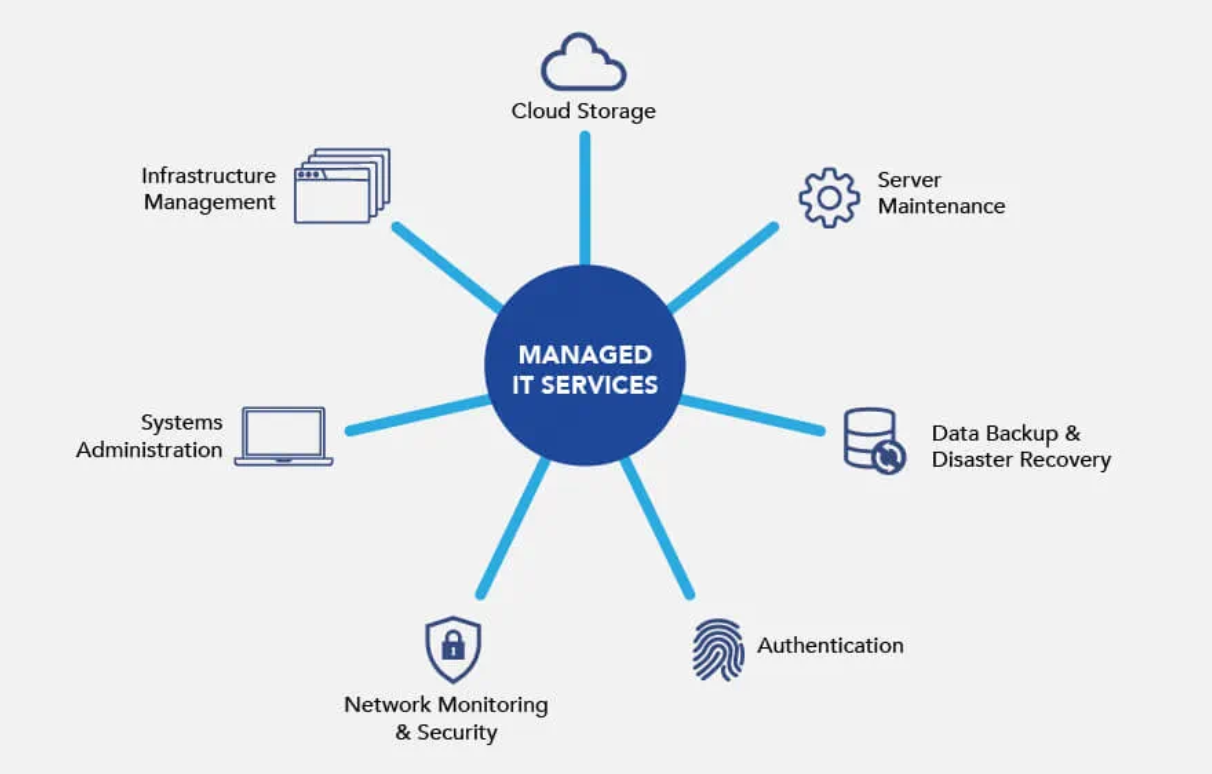
Reliable IT support is not just about fixing problems. It is also about preventing them from happening in the first place.
Proactive support focuses on maintaining system health through monitoring and routine maintenance.
Testing and Preparation
Updates and system changes can introduce unexpected issues. Testing changes before deploying them reduces the risk of disruptions.
This preparation helps avoid situations where a faulty update affects multiple systems at once.
Monitoring and Maintenance
Monitoring tools track system performance and alert technicians to potential problems. Issues such as low storage space or hardware failures can often be addressed before they cause downtime.
This approach keeps systems stable and reduces the number of urgent support calls.
Proactive Support
Reactive support begins after something breaks. Proactive support focuses on preventing those failures in the first place.
By addressing small issues early, businesses experience fewer interruptions and more consistent performance.
Conclusion
IT support should make business operations easier, not more complicated. When problems arise, fast and knowledgeable support can make the difference between a minor delay and a major disruption.
The “No Call Center” approach focuses on connecting businesses directly with skilled technicians who can resolve issues efficiently. This reduces downtime, improves communication, and creates a more reliable technology environment.
Strong IT support allows businesses to focus on their goals instead of worrying about technical problems. With the right support in place, technology becomes a tool for growth rather than a constant source of frustration.