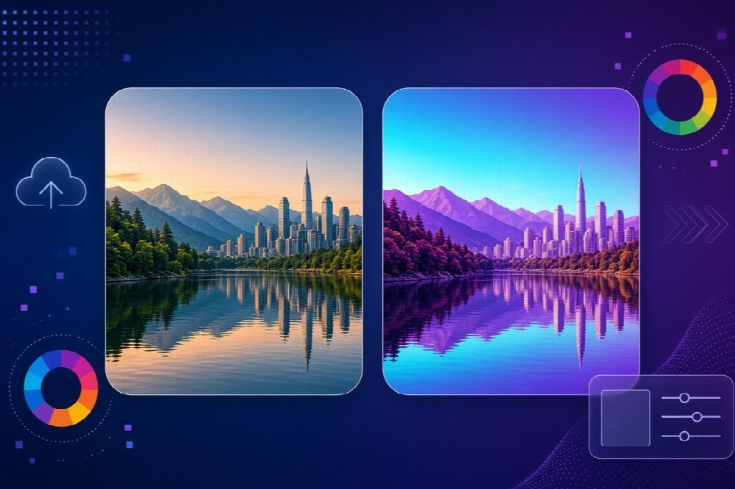
Photoshop has long been the gold standard for image editing, but here’s a question worth asking: if all you need is to invert the colors of a single photo, is firing up such a heavyweight application really necessary?
This guide breaks the comparison down across four practical dimensions—ease of use, processing speed, cost, and best-fit scenarios—so you can decide which approach actually matches your needs.
The Core Difference Between the Two Approaches
Before diving into specifics, it helps to understand what each tool is actually built for.
Photoshop is a professional-grade image editing suite. It handles everything from layer compositing to color grading to retouching—color inversion is just one tiny feature buried inside a much larger toolkit.
Online tools like Image Inverter take the opposite approach: single-purpose design, built to do exactly one thing—invert colors—as quickly and simply as possible.
Neither approach is inherently “better.” The right choice depends entirely on what you’re trying to accomplish.
Dimension 1: Ease of Use
The Photoshop Workflow
Getting a color-inverted image out of Photoshop typically involves several steps:
- Downloading and installing the software (often over 1GB)
- Learning foundational concepts like layers and channels
- Locating the Image > Adjustments > Invert menu option
- Exporting with the correct format and settings
None of these steps are difficult individually, but together they represent a real barrier for anyone who just needs a quick result.
The Online Tool Workflow
By comparison, Image Inverter simplifies the entire process into four steps: open the website, upload your image, let the system generate the inverted result automatically, and download it. No layers, no channels, no learning curve required.
Photoshop suits users who want to build broader image-editing skills along the way. Online tools suit users who just want today’s specific problem solved—nothing more.
Dimension 2: Processing Speed
Speed differences here aren’t subtle—they’re measurable in seconds versus minutes.
Launching Photoshop alone can take 10–30 seconds depending on your machine. Add in the actual editing steps—finding the menu, applying the invert, choosing export settings—and the total time easily exceeds one minute for what is conceptually a single operation.
An online tool skips the launch entirely. There’s no software to open, no project file to set up. Upload your image, and results typically appear within 3–5 seconds. Add in the upload and download time, and you’re still looking at roughly 10 seconds total, start to finish.
For a task this simple, that time difference adds up quickly—especially if you’re inverting colors more than once, or doing it as part of a repetitive workflow.
Dimension 3: Cost
Photoshop operates on a subscription model. Even the most basic plan represents an ongoing monthly expense, regardless of how often you actually use the software.
Image Inverter, by contrast, is completely free, with no subscription and no hidden premium features gating the core functionality.
To be fair, if your work genuinely depends on Photoshop’s broader capabilities—retouching, compositing, advanced color grading—that subscription cost is a reasonable investment. The software earns its price through everything else it does. But if color inversion is an occasional, standalone need, paying a recurring fee just to access one menu item makes little practical sense.
Dimension 4: Best-Fit Scenarios
When Photoshop Makes More Sense
Photoshop is the better choice when you need to perform multiple editing steps in sequence—color correction, compositing, and retouching all within the same project. It’s also the natural fit if image editing is a core, ongoing part of your professional workflow, or if you need precise control, such as inverting only a specific selection within a larger image rather than the entire canvas.
When an Online Tool Makes More Sense
An online tool wins out when you just want to preview what an inverted version of a photo looks like, without committing to a full editing session. It’s also the more sensible option for one-off needs, where installing a full desktop application feels disproportionate to the task. And for anyone working from a phone or tablet, where installing desktop software isn’t even an option, a browser-based tool is often the only practical route.
Weighing the Two Approaches Together
Put simply: Photoshop wins on depth and control, while online tools win on speed and simplicity.
If color inversion is just one step among many in your editing process—alongside cropping, color grading, or compositing—Photoshop’s versatility clearly earns its keep, and the learning curve pays for itself over time.
But if inversion is your only requirement, all of Photoshop’s extra power goes unused. In that case, Image Inverter delivers the same visual result in a fraction of the time, at no cost, and with no software to maintain.
Frequently Asked Questions
Does an online tool produce the same inversion result as Photoshop?
Yes. Color inversion is a straightforward mathematical operation (255 minus the original RGB value), so results are technically identical regardless of which tool performs it.
What else can I do without Photoshop?
Many online tools now cover cropping, resizing, background removal, and basic filters—though most, like Image Inverter, intentionally stay focused rather than trying to replicate a full editing suite.
Will using an online tool reduce image quality?
No, as long as the tool preserves the original resolution and doesn’t apply unnecessary compression during export.
Are there other free Photoshop alternatives?
Yes—tools like Photopea replicate much of Photoshop’s interface for free, though they come with a similar learning curve. For single-function tasks, a dedicated tool remains faster.
Final Takeaway
The right choice ultimately comes down to what you actually need. If color inversion is one small piece of a larger, ongoing editing workflow, Photoshop remains the industry standard for good reason.
But if your goal is simply to invert a photo’s colors—quickly, for free, without installing anything—Image Inverter gets the job done in seconds, with zero learning curve and zero cost.